Reviewed by Ottmega Editorial Team • Last updated Oct 8, 2026
Live TV Smarters Pro for FireStick — How to Install & Use (2025)
Introduction
Live TV Smarters Pro remains one of the most popular Live TV players for FireStick and Fire TV devices in 2025. Although it doesn’t host any content, this app allows you to stream channels, movies, series, and live TV from Live TV services that support M3U playlists or Xtream Codes API.
Since Live TV Smarters Pro is not available in the Amazon App Store, most users sideload it using the Downloader app. This guide will show you exactly how to install Live TV Smarters Pro on FireStick, set it up, use it safely, and explore its features.
The steps below work on FireStick 4K, FireStick 4K Max, FireStick Lite, Fire TV Cube, and FireOS-powered Smart TVs.
What Is Live TV Smarters Pro? (Explained Simply)
Live TV Smarters Pro is an Live TV player, not a content provider. It lets you log in with your Live TV service subscription and stream what that service offers.
Key Facts
-
Live TV Smarters doesn’t offer or host channels.
-
You need an active Live TV service subscription.
-
Works with M3U playlists, Xtreme Codes API, and local playlist files.
-
Supports multi-screen, catch-up TV, EPG, parental controls, and more.
-
Available free with optional paid upgrades.
Who Is It For?
Anyone who wants:
-
A clean, modern Live TV interface
-
Ability to combine multiple Live TV subscriptions
-
Better management features than most Live TV apps
Is Live TV Smarters Pro Safe & Legal?
Because Smarters Pro is available in the Google Play Store and Apple App Store, the app itself is safe.
However:
Safety and Legality Notes
-
The app is legal, but your Live TV source determines legality.
-
Using unverified Live TV services may carry legal risks depending on your region.
-
Always stream from licensed and verified Live TV providers.
Pro Tip: Use a VPN
Your ISP and third-party trackers may monitor your activity. Many users prefer a VPN to protect privacy and reduce buffering.
How to Install Live TV Smarters Pro on FireStick (2025 Updated Guide)
Since Smarters Pro is not on the Amazon Store, we install it using Downloader.
Before You Begin: Enable App Sideloading
-
Go to Settings on your FireStick.
-
Select My Fire TV.
-
Open Developer Options.
-
Choose Install Unknown Apps.
-
Enable it for Downloader.
If Developer Options are hidden:
-
Go to Settings > My Fire TV > About
-
Highlight Fire TV Stick and press the remote’s center button 7 times
-
Developer Options will now appear
Step-by-Step: Install Live TV Smarters Pro via Downloader
Open the Downloader app. Click the URL text box on the right side (make sure the Home option in the left menu is selected).
Note: When you run this app for the first time, a set of prompts will appear. Dismiss them until you see the following screen.
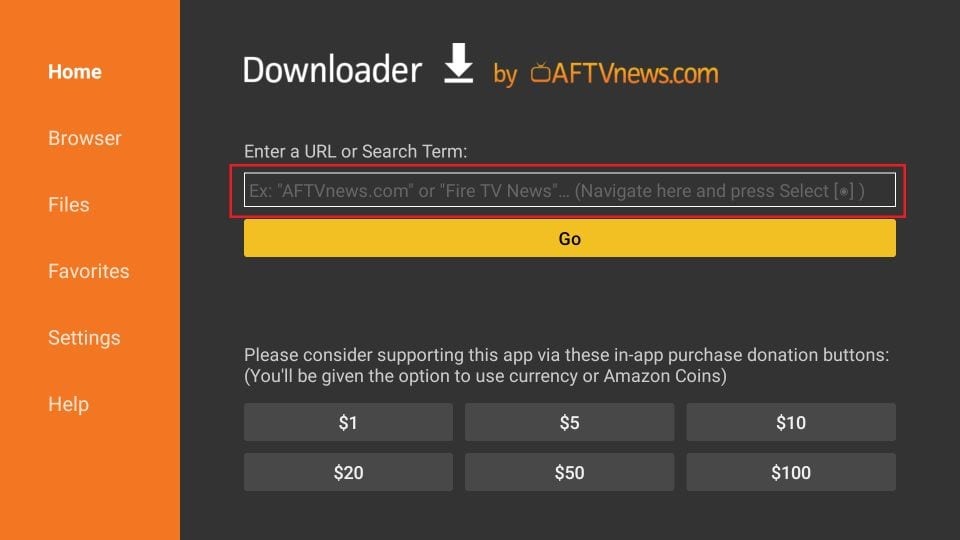
Enter the following 224877 and click GO. Then click the download link on the page that loads

Download the Live TV Smarters Pro APK.
When prompted, select Install.
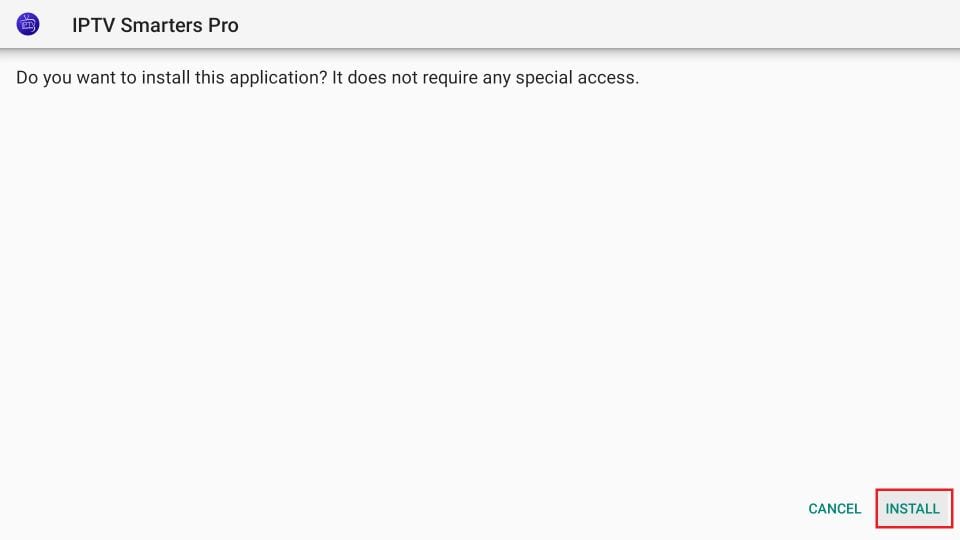
Wait for the installation to finish.
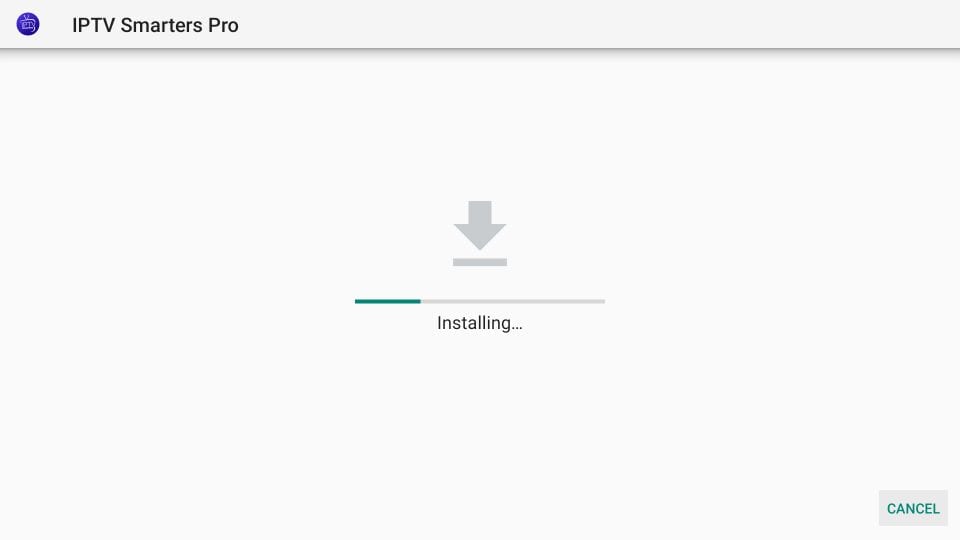
The installation is concluded, and the app installation notification appears. You may now click OPEN to start using Live TV Smarters. I recommend selecting DONE to delete the APK file and free up space on the FireStick storage.
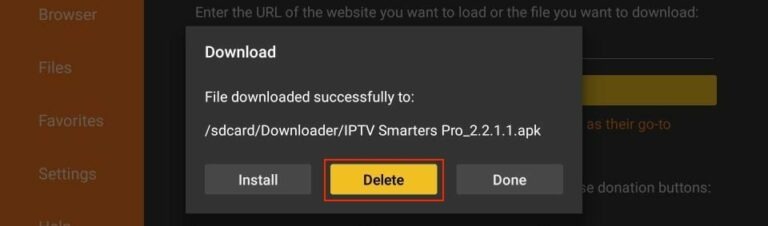
If you click DONE above, you will return to the Downloader interface.
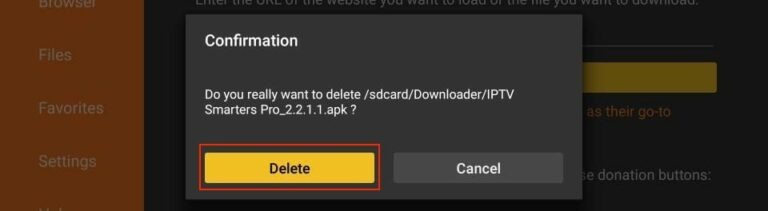
Click Delete.
You now have Live TV Smarters Pro installed on your FireStick.
How to Use Live TV Smarters Pro on FireStick
When you open Smarters Pro for the first time, accept the Terms of Use. The home screen offers several login options.
Live TV Smarters Login Methods
1. M3U Playlist URL
Most Live TV services provide M3U links.
Steps:
-
Select Load Your Playlist or File/URL.
-
Choose M3U URL.
-
Enter any playlist name.
-
Enter your M3U link.
-
Click Add User.
2. Xtream Codes API
Simpler and shorter than M3U URLs.
Steps:
-
Select Login with Xtream Codes API.
-
Enter:
-
Any profile name
-
Username
-
Password
-
API URL from your provider
-
-
Click Add User.
Note: Some Live TV services no longer support Xtream Codes due to past shutdowns.
Exploring Features of Live TV Smarters Pro
Live TV Smarters Pro packs multiple premium-grade features that most Live TV apps don’t offer.
Main Features
-
Multi-screen support
-
Built-in video player
-
EPG program guide
-
Catch-up TV (if your Live TV service supports it)
-
Parental controls
-
Picture-in-Picture mode
-
Recording support
-
Account switching for multiple Live TV providers
-
Supports external players (e.g., VLC)
Supported Devices
-
FireStick & Fire TV
-
Android TV Boxes
-
Android Smart TVs
-
Android phones & tablets
-
iOS (iPhone, iPad)
-
Some smart TVs (Samsung/Tizen & LG/WebOS with different app versions)
Comparison Table: Live TV Smarters Pro vs. Other Live TV Players
| Feature | Live TV Smarters Pro | TiviMate | Smart Live TV |
|---|---|---|---|
| Free Version | Yes | Limited | No |
| Multi-Account Support | Yes | Yes | No |
| EPG Support | Yes | Yes | Yes |
| App Store Availability | Android/iOS | Android | None |
| FireStick Install | Sideload | Sideload | Sideload |
| Interface | Modern | Advanced | Basic |
| Paid Version | Optional | Required | One-time activation |
How to Install Live TV Smarters on Android Devices
Android TV & Android Phones
-
Open the Google Play Store.
-
Search for Smarters Pro.
-
Install it normally.
How to Install Live TV Smarters on iOS (iPhone/iPad)
-
Open the Apple App Store.
-
Search for Smarters Pro.
-
Download and install.
Use your Live TV subscription details to log in on any device.
Tips for the Best Live TV Smarters Experience
1. Use a High-Quality Live TV Provider
Your viewing experience depends entirely on your Live TV service’s quality.
2. Enable Hardware Acceleration
This improves video playback on FireStick.
3. Keep the App Updated
Smarters Pro frequently updates features and compatibility.
4. Use a VPN for Privacy
Helps avoid buffering and protects your streaming activity.
Conclusion
Live TV Smarters Pro for FireStick is one of the best Live TV players to manage and stream Live TV subscriptions in 2025. With M3U and Xtream Codes support, an intuitive interface, and multi-device compatibility, it offers flexibility and convenience for Live TV users. By following this guide, you can easily install Live TV Smarters Pro on FireStick and start streaming in minutes.
Top Recommended Plans & Subscriptions
Verified subscriptions with instant WhatsApp activation & 24/7 replacement warranty from India's #1 trusted OTT seller.